Structure of an AWS IAM Policy
Luke Hebert
- 2 minutes read - 356 wordsUnderstanding IAM policy structure saves you from over-permissive configurations and the security headaches that follow. This guide walks through the six policy types AWS supports and breaks down every element of a policy document so you can write precise, least-privilege permissions with confidence.
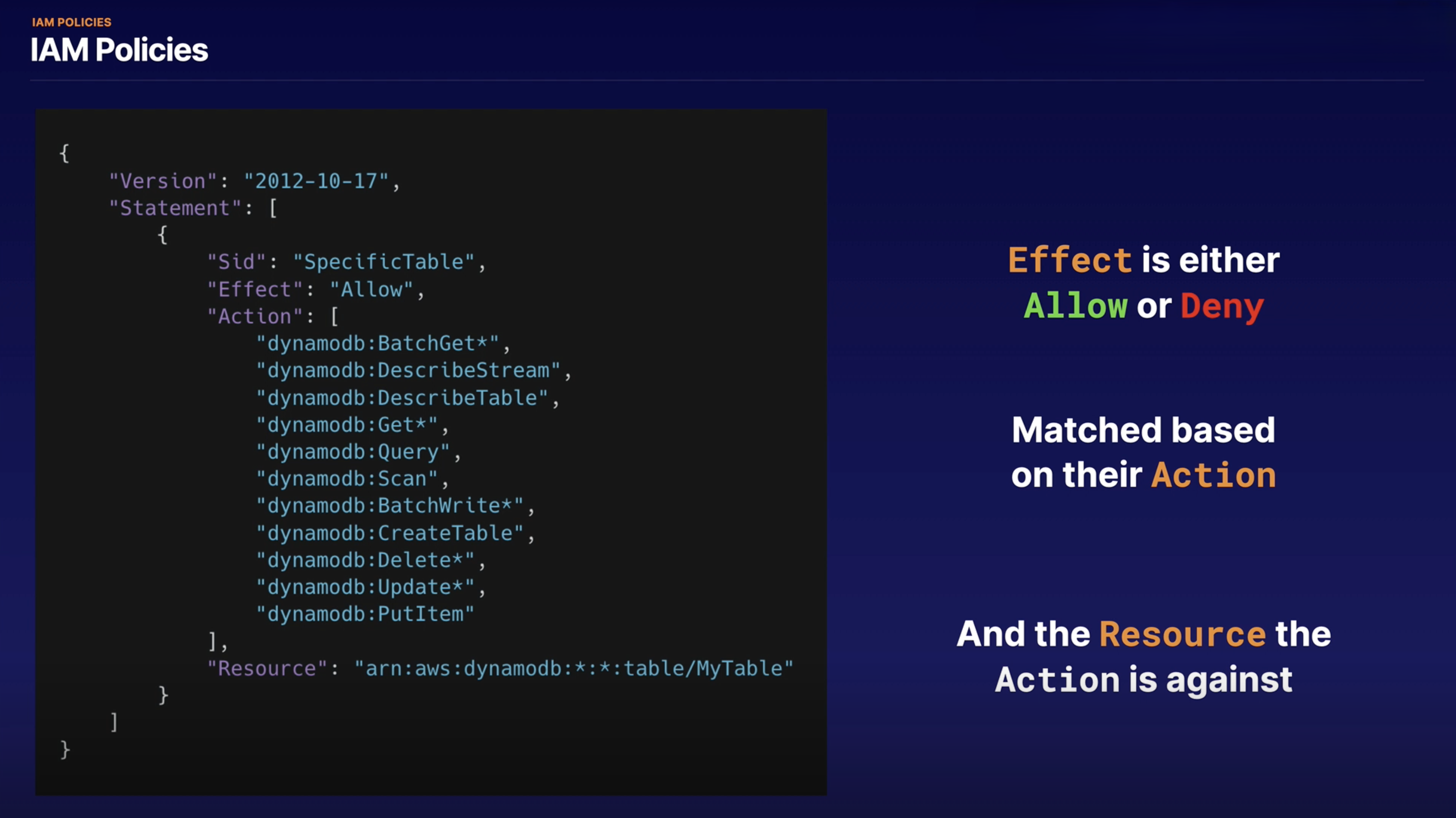
You manage access in AWS by creating policies and attaching them to IAM identities (users, groups, or roles) or AWS resources. A policy is an object that, when associated with an identity or resource, defines its permissions. AWS evaluates these policies when an IAM principal makes a request, and the resulting permissions determine whether the request is allowed or denied. Most policies are stored as JSON documents.
AWS supports six types of policies:
- Identity-based policies
- Resource-based policies
- Permissions boundaries
- Organizations SCPs
- ACLs
- Session policies
IAM policies define permissions for an action regardless of the method used to perform the operation. For example, if a policy allows the GetUser action, a user with that policy can retrieve user information from the AWS Management Console, the AWS CLI, or the AWS API equally.
When you create an IAM user, you can choose to allow:
- Console access - the user signs in with a username and password.
- Programmatic access - the user uses access keys to work with the CLI or API.
Policy Document Breakdown
The image above illustrates the structure of an IAM policy document (version 2012-10-17). Each policy is composed of the following elements:
| Element | Purpose |
|---|---|
| Version | Specifies the policy language version (e.g., 2012-10-17). |
| Statement | One or more blocks that each define a specific permission. |
| Effect | Whether the statement grants (Allow) or explicitly denies (Deny) access. |
| Principal | (Resource-based policies only) Identifies who the policy applies to. |
| Action | The specific API operation(s) being permitted or denied (e.g., s3:GetObject). |
| Resource | The ARN(s) of the resource(s) the action applies to. |
| Condition | (Optional) Key-value pairs that must be met for the statement to evaluate to true. |
Key takeaway: A policy is only as broad as its statements allow. Use specific actions and resource ARNs rather than wildcards (*) wherever possible to follow the principle of least privilege.