CoreDNS
Luke Hebert
- 2 minutes read - 415 wordsSetting up a dedicated DNS server with CoreDNS is one of the fastest ways to get reliable name resolution across a small network. You download a single binary, point it at your /etc/hosts file, and you have a working DNS server on port 53. The process also highlights how CoreDNS extends beyond static mappings through its plugin system, including a Kubernetes plugin for cluster-aware resolution.
Prerequisites
From the previous lecture, you should already understand:
- Why a DNS server is needed (managing name resolution across many hostnames and IPs).
- How to configure client hosts to point to a DNS server.
Here, you will configure the DNS server itself.
Getting CoreDNS
CoreDNS binaries are available from the GitHub releases page or as a Docker image. We will use the traditional binary approach:
# Download the binary
curl -LO https://github.com/coredns/coredns/releases/latest/download/coredns_linux_amd64

# Make it executable
chmod +x coredns_linux_amd64

# (Optional) Move it to a standard location
sudo mv coredns_linux_amd64 /usr/local/bin/coredns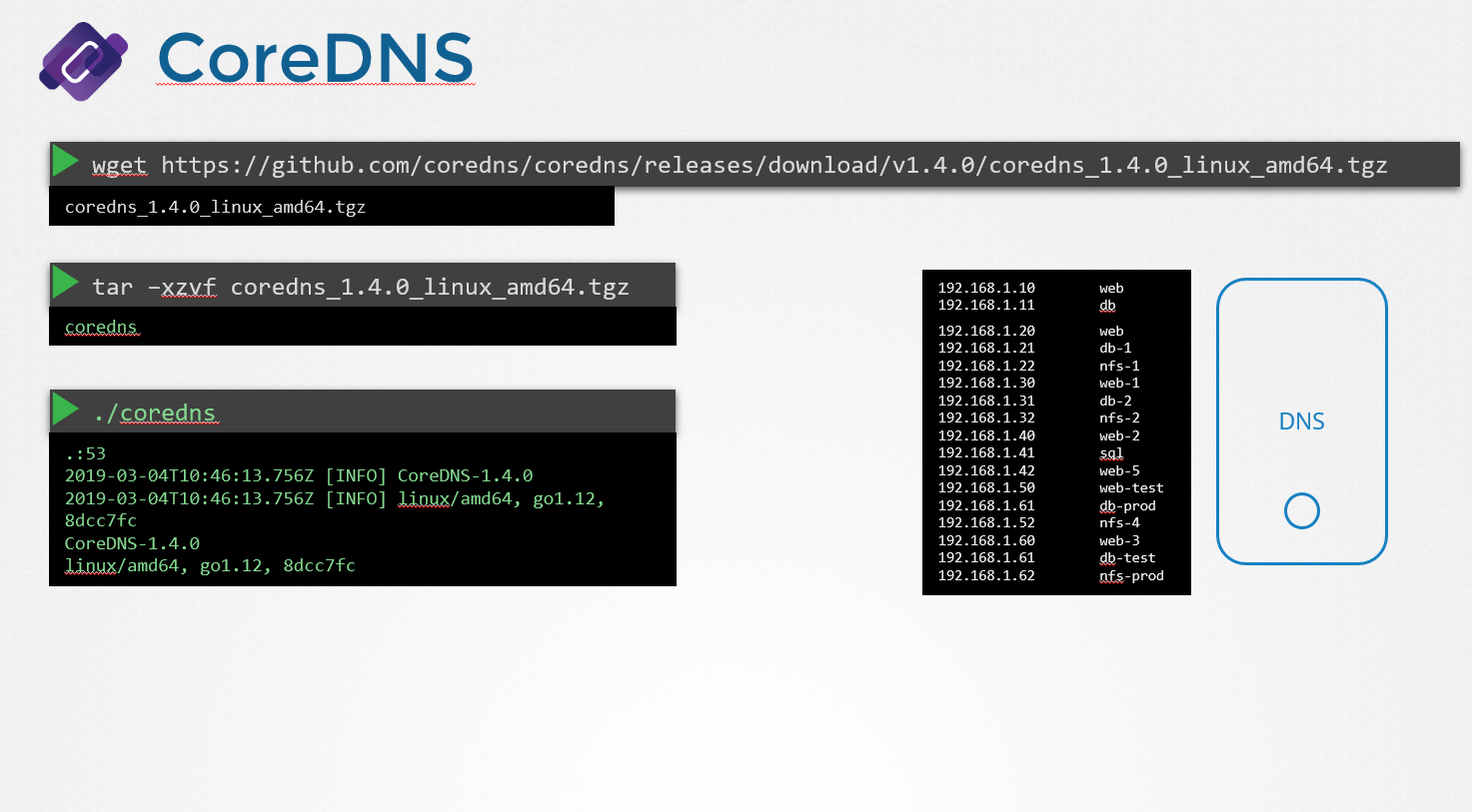
Starting the DNS Server
Run the executable to start the server:
corednsBy default, CoreDNS listens on port 53, the standard port for DNS.
At this point the server is running, but no IP-to-hostname mappings have been defined yet.
Configuring IP-to-Hostname Mappings
Step 1 - Populate /etc/hosts
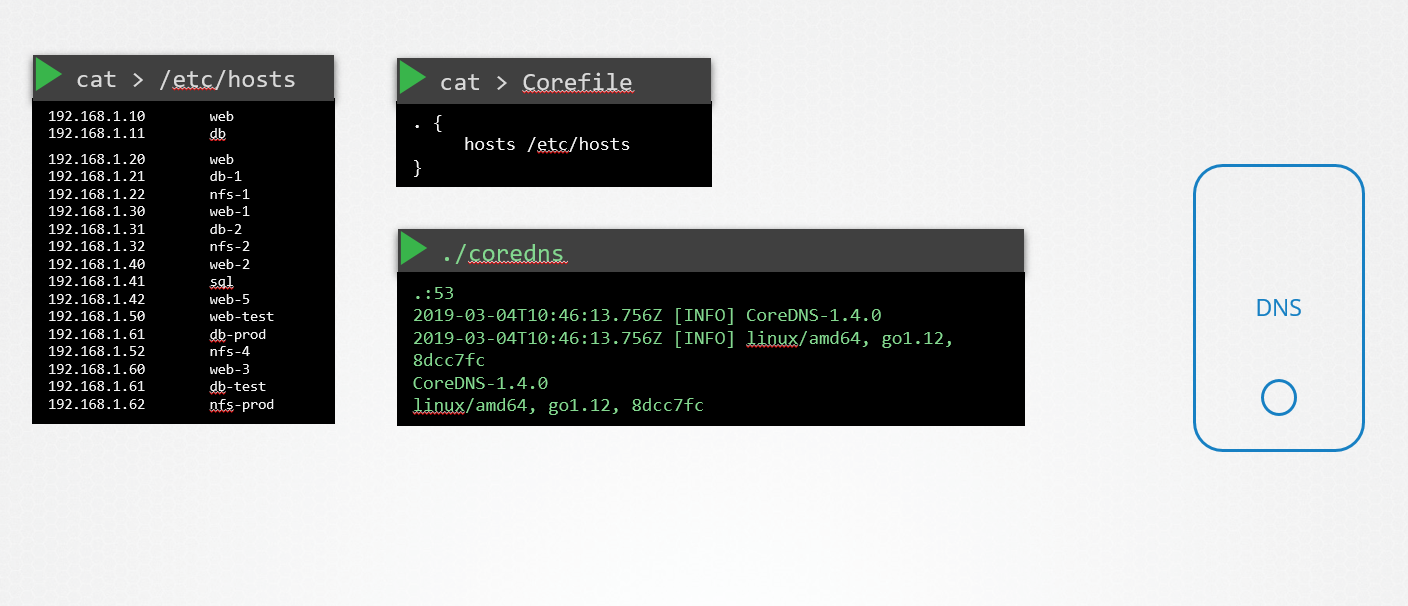
Add all the desired entries to the DNS server’s /etc/hosts file:
# /etc/hosts
192.168.1.10    web01.example.com
192.168.1.11    db01.example.com
192.168.1.12    cache01.example.com
Step 2 - Create a Corefile
CoreDNS loads its configuration from a file named Corefile. A minimal configuration that instructs CoreDNS to read mappings from /etc/hosts looks like this:
.:53 {
    hosts /etc/hosts
}| Token | Meaning |
|---|---|
.:53 | Listen on all interfaces (.) on port 53 |
hosts /etc/hosts | Use the hosts plugin to resolve names from the specified file |
Step 3 - Restart CoreDNS
coredns -conf /path/to/CorefileCoreDNS now picks up the IPs and names from /etc/hosts and serves them to any client that queries it.
Beyond /etc/hosts: CoreDNS Plugins
CoreDNS is highly extensible. In addition to the hosts plugin shown above, it supports many other plugins for different data sources and behaviours. Notably, it includes a Kubernetes plugin that dynamically resolves service names within a cluster.
Further Reading
Key Takeaways
- CoreDNS is a lightweight, plugin-based DNS server.
- It listens on port 53 by default.
- The
Corefileis the single configuration file that defines behaviour. - The
hostsplugin lets you reuse an existing/etc/hostsfile as your zone data. - For dynamic or cluster-aware resolution, CoreDNS’s Kubernetes plugin is the go-to option.